Keeping your screens spotless does not have to be hard. You just need the right steps and a little care. If you follow a good routine, you can keep your devices looking new and working well. Let's walk through the best way to use Screen Cleaning Wipes and avoid common mistakes.

Cleaning Steps
You want your phone, tablet, or laptop to shine. Here's a simple guide you can follow every time you clean your screen:
Turn Off Your Device
Always power down your device before you start. This keeps you safe and helps you see smudges and dust more clearly.
Wash Your Hands
Clean hands mean you won't add more dirt or oil to the screen while you clean.
Choose the Right Wipe
Pick a wipe made for screens. ISO Class 4 Cleanroom Wipes or Multi-Surface Bulk Disinfectant Wipes work well for most electronics. Make sure the wipe is not too wet.
Wipe Gently in Small Circles
Use gentle pressure. Move the wipe in small, circular motions. This helps lift dirt and oils without scratching the screen. High-quality wipes do not need hard pressing to work.
Let the Screen Air Dry
Give your screen a few seconds to dry. Do not rush this step. If you see any streaks, use a dry, soft cloth to buff them away.
Dispose of the Wipe Properly
Throw away the used wipe. Wash your hands again if you used a disinfectant wipe.
Tip: Always check your device's manual for special cleaning instructions. Some screens have coatings that need extra care.
Here's a quick table to help you remember the steps:
| Step | What To Do |
| 1. Power Down | Turn off your device |
| 2. Wash Hands | Clean your hands before starting |
| 3. Pick Wipe | Use a screen-safe wipe, not too wet |
| 4. Wipe Gently | Small circles, gentle pressure |
| 5. Air Dry | Let the screen dry before turning on |
| 6. Dispose & Clean | Throw away wipe, wash hands if needed |
Mistakes To Avoid
Even if you clean your screen often, you might make some mistakes without knowing it. These mistakes can damage your device or make cleaning less effective. Here are the most common ones and how you can avoid them:
Using Harsh Chemicals
Never use cleaners with ammonia or bleach. These can strip away the protective coating on your screen and cause clouding or permanent damage.
Applying Too Much Pressure
Pressing hard does not make your screen cleaner. It can scratch the surface or even crack the glass. Always use gentle pressure. Let the wipe do the work.
Using Paper Towels or Rough Cloths
Paper towels and rough fabrics can leave scratches. Always use wipes made for screens, like spunlace nonwoven wipes or ISO Class 4 Cleanroom Wipes.
Cleaning While the Device Is On
If your device is on, you might not see all the smudges. You also risk shorting out the electronics if moisture gets inside.
Letting Liquid Pool on the Screen
Too much liquid can seep into the edges and damage the inside of your device. Always use wipes that are just damp, not dripping.
Ignoring Manufacturer Instructions
Some screens have special coatings or features. If you skip the manual, you might miss important tips for safe cleaning.
Alert: If you use Multi-Surface Bulk Disinfectant Wipes, make sure they are safe for electronics. Some wipes are made for hard surfaces, not screens.
Here's a quick checklist to help you avoid these mistakes:
- Do not use harsh chemicals.
- Do not press too hard.
- Do not use paper towels.
- Do not clean while the device is on.
- Do not let liquid pool on the screen.
- Do not skip the manual.
If you follow these tips, you can keep your screens clean and safe. Screen Cleaning Wipes make the job easy, but using them the right way makes all the difference.
Types Of Screen Cleaning Wipes
Picking the right Screen Cleaning Wipes can be confusing. There are many choices like alcohol-based, alcohol-free, wet, dry, and dual wipes. Each type works in its own way. Let's look at what you should know.
Alcohol-Based vs. Alcohol-Free
Alcohol-based wipes have ethanol or isopropyl alcohol. These break down germs quickly and dry fast. They do not leave anything behind. Alcohol-free wipes use quaternary ammonium compounds or benzalkonium chloride. These also kill germs, but they might leave the surface wet longer.
| Type of Wipe | Active Ingredients | Mechanism of Action |
| Alcohol-based | Ethanol or Isopropyl Alcohol | Disrupts cell walls of microorganisms |
| Alcohol-free | Quaternary Ammonium Compounds or Benzalkonium Chloride | Disrupts cell membranes of microorganisms |
Sometimes, alcohol-free wipes can leave streaks or take longer to dry. Alcohol-based wipes usually do not leave streaks. They are good for fast cleaning.
Alcohol-based wipes dry quickly and do not leave marks. Alcohol-free wipes might need more time to dry and can leave the surface damp.

Wet and Dry Dual Wipes
Wet and dry dual wipes use two steps for better cleaning. First, use the wet wipe to clean off dirt and germs. Next, use the dry wipe to remove streaks and soak up extra moisture.
| Type of Wipe | Advantages | Disadvantages |
| Wet Wipes | Good at cleaning dirt and germs. Can clean deeply. | Too much moisture can hurt electronics. Streaks can happen if not dried well. |
| Dry Wipes | Safe for screens, stops scratches. Helps remove streaks after wet wipes. | May not clean heavy dirt well. Needs extra steps for best cleaning. |
For best results, use a dry microfiber cloth after the wet wipe. Let your device dry before turning it on again.
Device Compatibility
Not all wipes are safe for every device. Alcohol-based wipes with 70% isopropyl alcohol work well for touchscreens, tablets, and monitors. They dry fast and do not leave streaks. Alcohol-free wipes are safer for screens with special coatings. Wet and dry dual wipes work for most electronics, but too much moisture can be a problem.
Pick wipes that fit your device's needs. ISO Class 4 Cleanroom Wipes and Multi-Surface Bulk Disinfectant Wipes are good for sensitive screens and tough jobs. Always check your device's manual before cleaning.
Choosing The Best Screen Cleaning Wipes
Ingredients To Consider
When you pick wipes for your screens, you want them to work well and stay safe for your devices. Some ingredients do a better job than others. Here are the top choices you should look for:
Isopropyl alcohol removes fingerprints and smudges fast.
Purified water cleans gently and does not harm electronics.
You should avoid wipes with harsh chemicals like ammonia or bleach. These can damage your screen or leave streaks. Many users also report problems with low-quality wipes, so always check for wipes made for screens.
Tip: Always read the label before using a new wipe on your device.
Packaging & Convenience
You want wipes that fit your lifestyle. Some wipes come in small packs you can toss in your bag or car. Others come in tubs that work well for home or office use. Here are some popular options:
Compact packs are great for travel and daily use.
Re-sealable tubs keep wipes fresh and reduce waste.
Some wipes are anti-static and safe for many types of screens.
If you clean your screens often, a tub with a lot of wipes can save you time. For quick cleanups on the go, a small pack is perfect.
Eco-Friendly Options
You care about the planet, so you want wipes that are kind to the environment. Eco-friendly wipes use materials like bamboo or wood pulp. They break down much faster than plastic-based wipes. Here's a quick look:
| Factor | Traditional Wipes | Eco-Friendly Wipes |
| Material | Plastic fibers | Bamboo, cotton, wood |
| Decomposition | 100+ years | 3–6 months |
| Chemical Content | Bleach, fragrances | Vinegar, essential oils |
| Carbon Footprint | High | Low |
Eco-friendly wipes also use safer chemicals and better packaging. This helps you keep your screens clean and protect the earth at the same time.
Spunlace Nonwoven Material
What Is Spunlace?
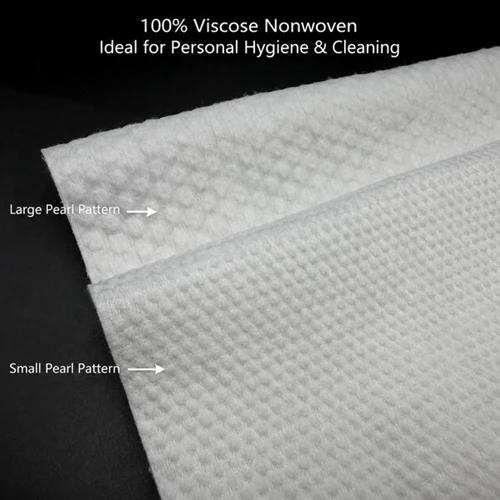
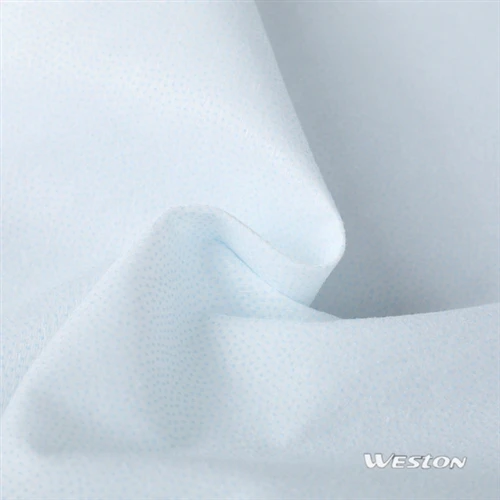
You may wonder why spunlace nonwoven is good for cleaning screens. Spunlace is a fabric made without weaving or knitting. Makers use strong water jets to mix the fibers together. This makes the material soft, strong, and does not leave lint. Here is how spunlace is made:
Pick and prepare fibers like wood pulp or synthetic ones.
Card and layer the fibers to make a web.
Use water jets to tangle the fibers together.
Dry and finish the web to make it stable.
There are different kinds of spunlace, like combing spunlace, wet spunlace, and spunbond spunlace. Each kind has its own special use for cleaning.
Advantages For Screen Cleaning Wipes
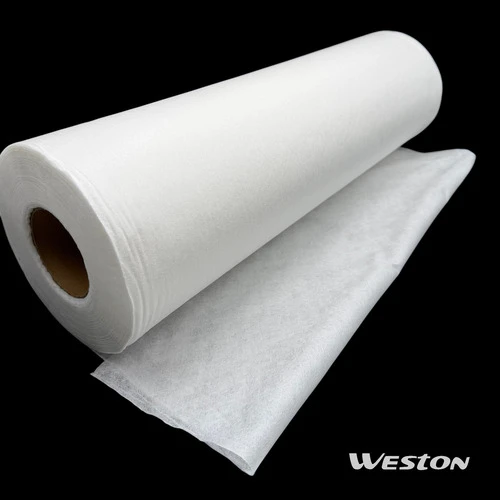
Spunlace nonwoven wipes have many good points for cleaning your devices. They are strong and do not tear easily. These wipes make almost no lint, so your screens stay clean. They soak up water and oil, which helps remove fingerprints and smudges. Many spunlace wipes use wood pulp, which is better for the earth. Weston Nonwoven's spunlace wipes are gentle and work well every time. You can use them on tablets, phones, and monitors without worry.
Tip: Spunlace wipes work great with ISO Class 4 Cleanroom Wipes and Multi-Surface Bulk Disinfectant Wipes for hard cleaning jobs.
Performance Data Table
Let's look at how spunlace nonwoven compares to other materials in Screen Cleaning Wipes:
| Property | Spunlace Nonwoven | Cotton Cloth | Paper Towel | Microfiber |
| Strength | High | Medium | Low | High |
| Lint Production | Very Low | Medium | High | Low |
| Absorption (Water/Oil) | Excellent | Good | Poor | Good |
| Environmental Impact | Low | Medium | High | Medium |
| Abrasion Resistance | High | Low | Low | Medium |
You can see spunlace nonwoven wipes are strong, make little lint, and soak up well. They help you keep screens clean and safe and are better for the planet.

Tips & Precautions
Storage
You want your wipes to stay fresh and ready to use. Store your Screen Cleaning Wipes in a cool, dry place. Keep the package sealed after each use. This stops the wipes from drying out or picking up dust. If you use a tub or resealable pack, make sure the lid snaps shut. Avoid leaving wipes in direct sunlight or near heat sources. Heat can dry them out or change their cleaning power.
Tip: Keep a small pack in your bag or desk drawer for quick cleanups at school or work.
Frequency Of Use
Regular cleaning keeps your screens clear and safe. Clean your devices with high-quality wipes at least once a week. If you see fingerprints, smudges, or dirt, wipe them off right away. This habit helps your screens look bright and keeps germs away. You might need to clean more often if you share your device or use it in public places.
Safety Tips
You want to protect your devices while cleaning. Follow these simple steps to stay safe:
Unplug your electronic devices before cleaning. This helps you avoid electrical hazards.
Use a soft microfiber cloth for tech surfaces. It picks up dust without scratching.
Spray any sanitizing product onto the cloth first, not directly on the screen. This controls moisture and protects sensitive parts.
Note: Always check your device's manual for special cleaning instructions. Some screens have coatings that need extra care.
By following these tips, you help your devices last longer and stay safe. Good habits with Screen Cleaning Wipes make a big difference.
You want your screens to be clean and safe. Screen Cleaning Wipes help you do this every day. Here are the top reasons to use them:
| Benefit | Description |
| Effectiveness | Clean screens well and protect your devices. |
| Enhanced Display Quality | Wipes remove smudges for a clearer view. |
| Hygiene | Wipes kill germs and keep screens sanitary. |
| Convenience | You can carry wipes for quick cleaning anywhere. |
Spunlace nonwoven wipes work better than cotton wipes. They hold more liquid and do not leave lint. These wipes feel soft on your skin. Parents say spunlace wipes are gentle for sensitive skin.
Keep your devices clean and fresh. Follow good cleaning habits. If you want a free sample, email info@westonmanufacturing.com.
FAQ
Can you use Screen Cleaning Wipes on all devices?
You can use most Screen Cleaning Wipes on phones, tablets, and laptops. Always check your device's manual for special coatings or cleaning instructions.
Do ISO Class 4 Cleanroom Wipes leave lint on screens?
ISO Class 4 Cleanroom Wipes do not leave lint. You get a streak-free finish. These wipes work well for sensitive screens and electronics.
How often should you clean with Multi-Surface Bulk Disinfectant Wipes?
You should clean shared devices daily. For personal electronics, once a week keeps germs away and screens clear.