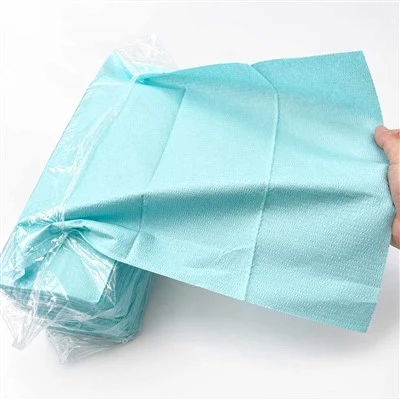
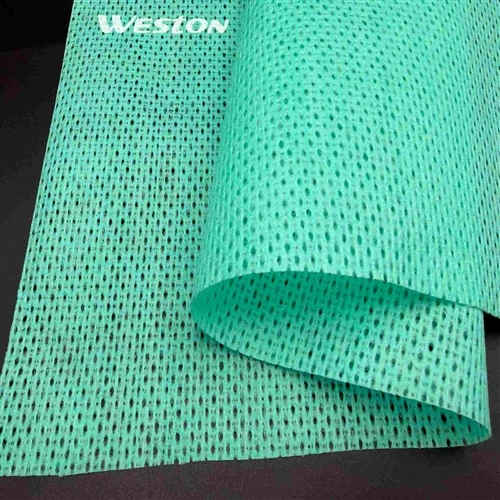
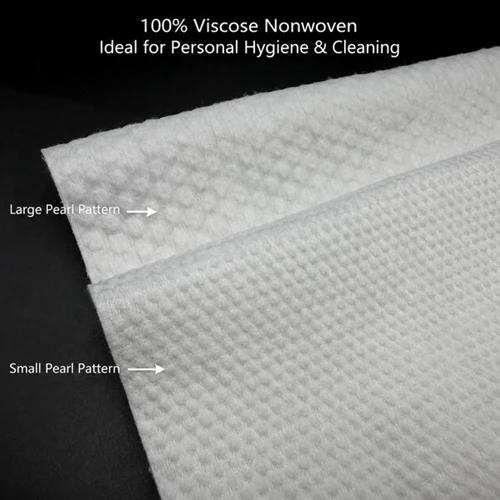
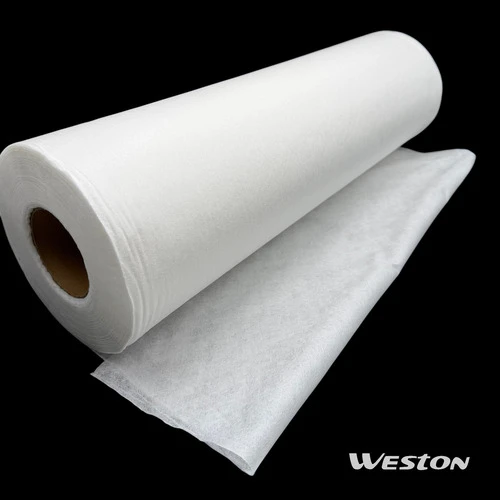
Screen Cleaning Wipes help you keep your devices clean and safe. Many people forget to clean their screens. Less than half clean them often. You can choose from different types. Some wipes have alcohol. Some wipes do not have alcohol. Some wipes are made for special uses.
|
Type of Wipe |
Application |
|
Alcohol-based Wipes |
Healthcare, public places |
|
Non-alcohol-based Wipes |
Sensitive screens, schools, offices |
|
Specialty Wipes |
Special uses |
|
Pre-moistened Wipes |
Used for electronics |
|
Dry Wipes |
Used for cleaning |
|
Others |
Used for special needs |
Advanced spunlace nonwoven materials clean gently and work well every time.
Screen Cleaning Wipes Benefits
Keeping your screens clean is more important than you might think. When you use Screen Cleaning Wipes, you do more than just wipe away fingerprints. You protect your devices, your health, and your peace of mind. Let's break down the main benefits and also look at a few things you should watch out for.
Streak-Free Cleaning
You know that feeling when you clean your phone or laptop, but the screen still looks cloudy or has streaks? That's frustrating. Screen Cleaning Wipes help you avoid this problem. These wipes use special materials, like spunlace nonwoven, that pick up dust and oils without leaving marks behind. You get a clear, bright screen every time.
Why do streaks happen?
Streaks usually come from using the wrong cleaner or a cloth that just moves dirt around. Some wipes, especially those made for multi-surface cleaning, can leave residue if they are too wet or not designed for electronics. ISO Class 4 Cleanroom Wipes, for example, are made for environments where even tiny particles matter. They leave almost no residue, making them a good choice for sensitive screens.
How do you get a streak-free finish?
Use a wipe that is just moist enough. Wipe in one direction, not in circles. Let the screen air dry for a few seconds. If you use a dry wipe after a wet one, you can buff away any last spots.
Tip: Always turn off your device before cleaning. This helps you see smudges better and keeps your device safe.
Pros:
Leaves screens looking new and clear.
Removes fingerprints, smudges, and dust in one step.
Works on many devices, from phones to TVs.
Cons:
Some wipes can leave lint if they are low quality.
Overly wet wipes may cause streaks or water spots.
Using paper towels or rough cloths can scratch screens.
Germ Removal
Your phone, tablet, or laptop can carry more germs than a toilet seat. That sounds gross, but it's true. Every time you touch your screen, you leave behind bacteria and viruses. Screen Cleaning Wipes help you fight back.
A study from Clemson University found that disinfectant wipes can remove a large amount of germs from surfaces. The research showed that up to 59% of coronavirus variants moved from glass surfaces to the wipes. Even on soft, non-porous surfaces like vinyl, about 30% of germs transferred to the wipe. This means that using the right wipe can make your devices much safer to touch.
Alcohol-based vs. Alcohol-free:
You might wonder if you need alcohol in your wipes to kill germs. Both types can work well, but they have different strengths. Here's a quick look:
|
Feature |
Alcohol-Based Wipes |
Alcohol-Free Wipes |
|
Germ-Killing Power |
Highly effective; fast-acting |
Equally effective with proper dwell time |
|
Surface Compatibility |
May damage plastics, screens, coatings |
Safe for most surfaces including electronics |
Multi-Surface Bulk Disinfectant Wipes often use alcohol for quick germ removal. Alcohol-free wipes are safer for delicate screens and still remove germs if you let them sit for a few seconds.

How often should you clean?
If you use your device a lot, try to clean it once a day. If you share your device, clean it even more often.
Note: Not all wipes kill every type of germ. Some only remove dirt and oils. Check the label if you want disinfecting power.
Pros:
Reduces the risk of getting sick from shared devices.
Removes bacteria, viruses, and allergens.
Makes your device safer for kids and family.
Cons:
Overuse of strong disinfectants can wear down screen coatings.
Some wipes have strong smells that may bother sensitive users.
Not all wipes are tested for every type of virus or bacteria.
Device Safety
You want your devices to last as long as possible. Using Screen Cleaning Wipes can help you do that. Dust, oils, and grime can build up on your screen and in tiny cracks. Over time, this can cause scratches or even damage the touch function.
Protecting your investment:
Regular cleaning keeps your screen clear and responsive. It also helps prevent long-term damage from dirt and oils. Spunlace nonwoven wipes are gentle, so they won't scratch your screen. They also don't leave behind fibers that could get stuck in ports or buttons.
Safe for many surfaces:
Some wipes, like ISO Class 4 Cleanroom Wipes, are made for very sensitive equipment. They work well on phones, tablets, laptops, and even camera lenses. Alcohol-free wipes are best for screens with special coatings, while alcohol-based wipes are good for tougher surfaces.
What to avoid:
Never use wipes with bleach or ammonia on your screens. These chemicals can strip away protective layers and cause clouding. Also, avoid wipes that are too wet, as liquid can seep into your device and cause problems.
Alert: Always check if your device has a special coating. Some screens have anti-glare or anti-fingerprint layers that can wear off with harsh cleaners.
Pros:
Extends the life of your device.
Keeps touchscreens working smoothly.
Prevents buildup that can cause scratches or dullness.
Cons:
Using the wrong wipe can damage sensitive screens.
Too much moisture can get inside your device.
Some wipes are not biodegradable, which can be bad for the environment.
Summary Table: Pros and Cons of Screen Cleaning Wipes
|
Benefit |
Pros |
Cons |
|
Streak-Free Cleaning |
Clear screens, easy to use, works on many devices |
Lint, streaks if too wet, scratches from rough wipes |
|
Germ Removal |
Reduces germs, safer for families, easy to use |
Can wear coatings, strong smells, not all kill all germs |
|
Device Safety |
Protects device, gentle on screens, prevents buildup |
Wrong wipe can damage, moisture risk, waste issues |
Screen Cleaning Wipes, ISO Class 4 Cleanroom Wipes, and Multi-Surface Bulk Disinfectant Wipes all play a role in keeping your devices clean and safe. When you choose the right wipe and use it the right way, you get a streak-free, germ-free, and long-lasting device. Just remember to check your device's needs and follow best practices for cleaning.