Keeping your printer in top condition is essential for ensuring consistent print quality and extending its lifespan. One often overlooked yet highly effective tool for maintaining printer performance is Print Cleaning Spunlace. With its unique blend of absorbency and durability, Spunlace can help keep your printer running smoothly by removing dirt, ink residue, and dust. In this article, we explore 10 expert tips to maximize the effectiveness of Print Cleaning Spunlace across various printing scenarios.
1. Understand the Material and Its Function
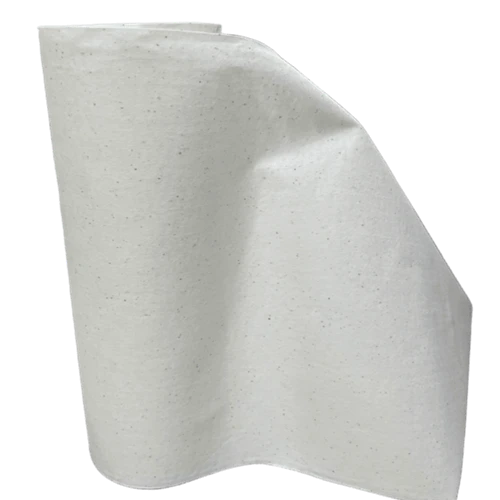
Print Cleaning Spunlace is made from nonwoven fibers designed to absorb ink, dust, and grime efficiently. Its fine texture allows it to clean delicate surfaces without causing scratches or damage. Spunlace is particularly useful for printers with sensitive components, such as inkjet and thermal printers, as it gently lifts residue without leaving lint or fibers behind.
2. Tailor Cleaning Strategies for Different Printer Parts
Not all parts of a printer require the same cleaning approach. For example:
Printheads: Gently wipe the printhead with a slightly moistened Spunlace cloth to remove dried ink and prevent clogging.
Rollers & Paper Path: Use a dry Spunlace cloth to clean the paper feed rollers and other internal parts to remove paper dust, ink, and debris.
By customizing your cleaning approach to each component, you ensure that every part of your printer functions optimally.
3. Routine vs. Deep Cleaning
Establishing a regular cleaning routine can prevent ink buildup and dust accumulation. A light wipe-down of external surfaces and components such as the paper tray should be done weekly or bi-weekly. For a more thorough cleaning, focus on internal parts such as the printheads, drum unit, and faster every three to six months. This ensures the printer remains free of stubborn ink stains and paper residue.
4. Specialized Tips for Different Printer Types
Different types of printers require distinct cleaning methods:
Inkjet Printers: Focus on the printheads, ink cartridges, and surrounding areas. Use a lightly dampened Spunlace cloth to gently remove dried ink.
Laser Printers: Clean the toner cartridges, drum, and fuser unit with a dry Spunlace cloth to prevent toner buildup.
Sublimation Printers: Use Spunlace to clean the heating elements and conveyor belts. Regular cleaning will ensure smooth operation and prevent ink residue from affecting print quality.
5. Maximize Cleaning Efficiency with Spunlace
To make the most of your Spunlace cloth, consider these strategies:
Moisten the Cloth: Lightly dampen the cloth with water or a printer-safe cleaning solution for a more effective clean, especially when tackling stubborn stains or ink residue.
Fold the Cloth Properly: Fold the Spunlace cloth in sections to ensure multiple clean surfaces, reducing the risk of re-contaminating already cleaned areas.
6. Use the Right Cleaning Solutions
When using Spunlace for cleaning, opt for gentle, non-abrasive cleaning solutions designed for printers. Avoid harsh chemicals or alcohol-based cleaners, as these can damage delicate components. A mild, neutral cleaner will effectively dissolve ink residue and dirt without harming your printer.

7. Address Specific Printing Issues
For common printing problems, Spunlace can be a valuable tool:
Ink Spills: Quickly mop up ink spills on the printer surface with a Spunlace cloth to prevent stains and potential damage.
Paper Jams: Regularly clean the paper path and rollers to prevent paper jams caused by dust and debris buildup.
By proactively addressing these issues, you can avoid printer malfunctions and ensure smooth operation.
8. Proper Storage and Care of Spunlace Cloth
After use, store your Spunlace cloth in a clean, dry place. Avoid exposing it to direct sunlight, which can cause the fibers to degrade. Ensure that the cloth is completely dry before storing it to prevent mold and bacteria growth. Regularly inspect the cloth for wear and tear, replacing it when necessary to maintain optimal cleaning performance.
9. Combine Spunlace with Other Cleaning Tools
For areas that are difficult to reach, consider using Spunlace in conjunction with an air blower. This combination is particularly effective for cleaning the hard-to-reach internal components of printers, such as fans or small crevices. Additionally, periodically disinfect the printer's exterior to maintain a hygienic work environment, especially in shared or high-traffic areas.

10. Boost Your Printer's Performance and Lifespan
By adding regular Spunlace cleaning to your printer care routine, you'll keep your prints looking great and help your printer last longer! A well-cared-for printer will break down less often and need fewer repairs, saving you time and money in the end!
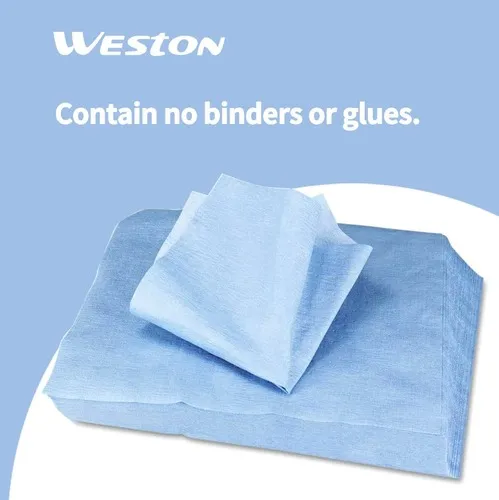
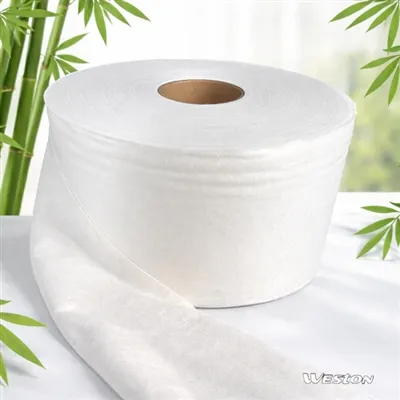
For even more effective cleaning solutions, consider Weston Critical-Task Wipers , kitchen-wipes for their superior lint-free performance or Disposable Wipes, which are perfect for quick, hassle-free maintenance tasks. Both options provide professional-grade cleaning to keep your devices operating at their best.