Can You Use Wet Wipes to Clean PC Parts?
It sounds simple. Your PC gets dusty. You grab a wet wipe. You wipe it down. Problem solved.
But PC parts are not kitchen counters. They are dense systems of circuits, coatings, and connectors. A small mistake does not always cause instant failure. Sometimes it creates slow damage that shows up months later.
This article looks at the issue from multiple angles: materials science, electrical safety, residue chemistry, and practical maintenance habits. No exaggeration. Just facts and careful judgment.

What "PC Parts" Really Means
Before deciding whether wet wipes are safe, define what you are cleaning.
External Surfaces
PC case exterior (painted steel or aluminum)
Plastic front panels
Keyboard housing
Mouse shell
These are mostly sealed and mechanically robust.
Internal Components
Motherboard
Graphics card (GPU)
RAM modules
CPU socket area
Power supply interior
Storage connectors
These contain exposed conductive traces, solder joints, and micro-scale contacts. The tolerance for moisture here is extremely low.
The same cleaning method cannot apply to both categories.
What Is Inside a Typical Wet Wipe?
Most consumer wet wipes contain:
Water
Mild detergents (surfactants)
Preservatives
Fragrance
Sometimes alcohol (low concentration)
Even Baby Wipes are designed for skin, not electronics. They prioritize softness and moisture retention. That means they are intentionally slow-drying and may leave conditioning residue.
From an electronics perspective, two issues matter:
Moisture retention
Chemical residue
Both can interfere with electrical reliability.
Why Moisture Is Risky for Electronics
Electronics operate at extremely small scales. Modern motherboard traces are thin and closely spaced. A thin liquid film can temporarily bridge conductors.
Possible Risks
Short circuit during power-on
Corrosion over time
Oxidation of gold-plated contacts
Mineral deposits after drying
Hidden moisture trapped under chips
Even distilled water is not fully safe once it touches dust. Dust contains salts and conductive particles. When wet, it can become electrically active.
Moisture does not need to be visible to cause problems. A thin invisible layer can be enough.
Situations Where Wet Wipes May Be Acceptable
It is not necessary to treat wet wipes as completely forbidden. Context matters.
Reasonable Use Cases
Cleaning the outer metal case
Wiping plastic side panels
Cleaning a powered-off keyboard surface
Removing fingerprints from a mouse shell
Conditions must be strict:
PC completely powered off and unplugged
Wipe only slightly damp, not dripping
No liquid near ports or ventilation slots
Allow full drying time before powering on
In these cases, the wipe is used for cosmetic cleaning, not technical maintenance.
Situations Where Wet Wipes Should Not Be Used
There are clear boundaries.
Do not use wet wipes on:
Motherboard PCB surface
RAM gold contacts
GPU board
Inside power supply
CPU socket
Cooling fan motor hubs
These areas require dry or electronics-grade cleaning methods only.
Even if no immediate damage occurs, residue can reduce long-term reliability.
Residue: The Overlooked Problem
Moisture usually evaporates. Residue does not.
Many wipes contain mild detergents designed to remain skin-safe. On electronics, this can create:
Sticky film attracting more dust
Reduced electrical contact quality
Surface conductivity changes
Corrosion acceleration in humid climates
High-humidity regions increase risk. Moisture combined with residue creates a more aggressive environment for oxidation.
This is why professional electronics cleaning uses specialized materials.
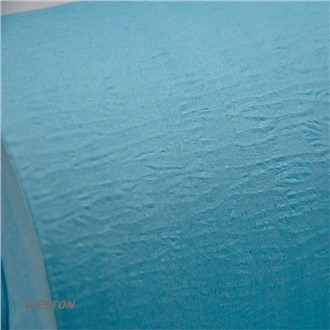
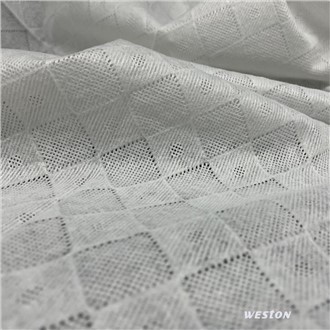
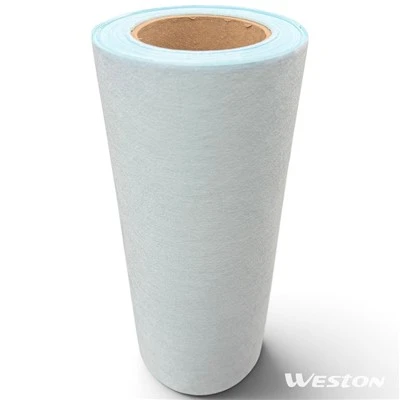
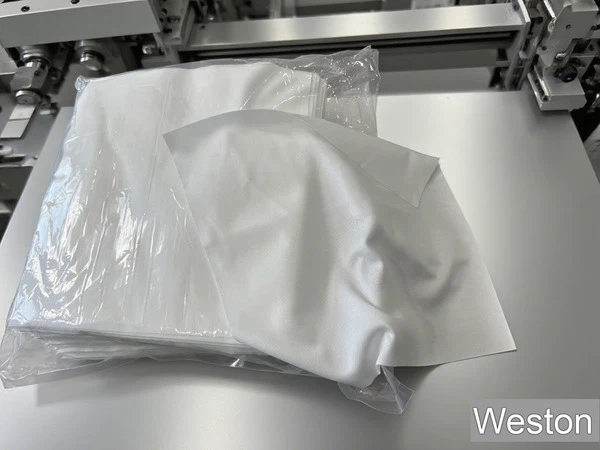
In controlled manufacturing environments such as SMT production lines, materials like SMT Cleanroom Wipe Mother Rolls and ISO Class 4 Cleanroom Wipes are used. These are engineered to:
Minimize lint
Control particle shedding
Avoid chemical residue
Meet strict cleanliness standards
That level of control does not exist in household wet wipes.
Better Alternatives for Cleaning PC Parts
For internal maintenance, safer methods exist.
Dust Removal
Compressed air
Electric air blower
Anti-static soft brush
Dust is the primary issue in most PCs. Removing it dry is safer than dissolving it.
Spot Cleaning (When Necessary)
90% or higher isopropyl alcohol
Lint-free microfiber cloth
Minimal liquid application
High-purity isopropyl alcohol evaporates quickly and leaves little residue. It is widely accepted in electronics servicing.
Do not soak. Apply small amounts only where needed.
Special Case: PC Screens
Many wet wipes contain ammonia or surfactants that damage screen coatings.
LCD and OLED panels often have anti-glare or anti-reflective layers. These can degrade with improper cleaning chemicals.
Safer method:
Dry microfiber cloth
Slightly damp cloth with distilled water (if necessary)
Screen-specific cleaner
Never spray liquid directly onto a display panel.
Health, Hygiene, and Over-Cleaning
Some users clean PCs frequently out of hygiene concerns.
But internal PC components do not require sterile conditions. They require:
Stable airflow
Low dust accumulation
Electrical stability
Excessive liquid cleaning increases risk without real benefit.
Routine dry cleaning every few months is typically sufficient for most users.
Multi-Factor Evaluation
When deciding whether to use a wet wipe, consider:
Is the part external or internal?
Is the surface sealed?
Could liquid enter connectors?
Will residue remain?
Is there a dry alternative available?
If there is uncertainty, dry cleaning is safer.
Professional manufacturing environments illustrate this clearly. In electronics production, only tightly controlled materials-such as SMT Cleanroom Wipe Mother Rolls and ISO Class 4 Cleanroom Wipes-are allowed near sensitive boards. These materials are engineered for particle control and chemical purity.
General-purpose Baby Wipes are not designed with those constraints.
A Practical Perspective
Wet wipes are convenient. Convenience is not equal to suitability.
For outer PC surfaces, careful use can be acceptable.
For internal components, it is not recommended.
For precision areas, use electronics-grade materials only.
PC maintenance works best when it is minimal, controlled, and dry whenever possible.
Electronics do not need moisture to stay clean. They need stable airflow and careful handling.